
Put a few commitments into words
Start with two or three things you need to do. You do not need to move your entire task system or share personal details. For example: reply to a workshop invitation, book a bike service, and prepare tomorrow's presentation.
Open the workspace and use Quick add a task to add each item yourself. You can start with tasks saved on this device without signing in. If you want Aiken's AI help, sign in and check the data-handling guide before sharing work context.
Check what matters now
Which commitment has a real deadline? Is someone waiting on it? What can you begin with the time and information you have? Preparing tomorrow's presentation might come before the bike booking; an invitation that expires today could change that choice.
You are deciding where to put your attention, not whether the other things matter. If an item needs information you do not have, requesting it can be the next action.
Choose a manageable starting point
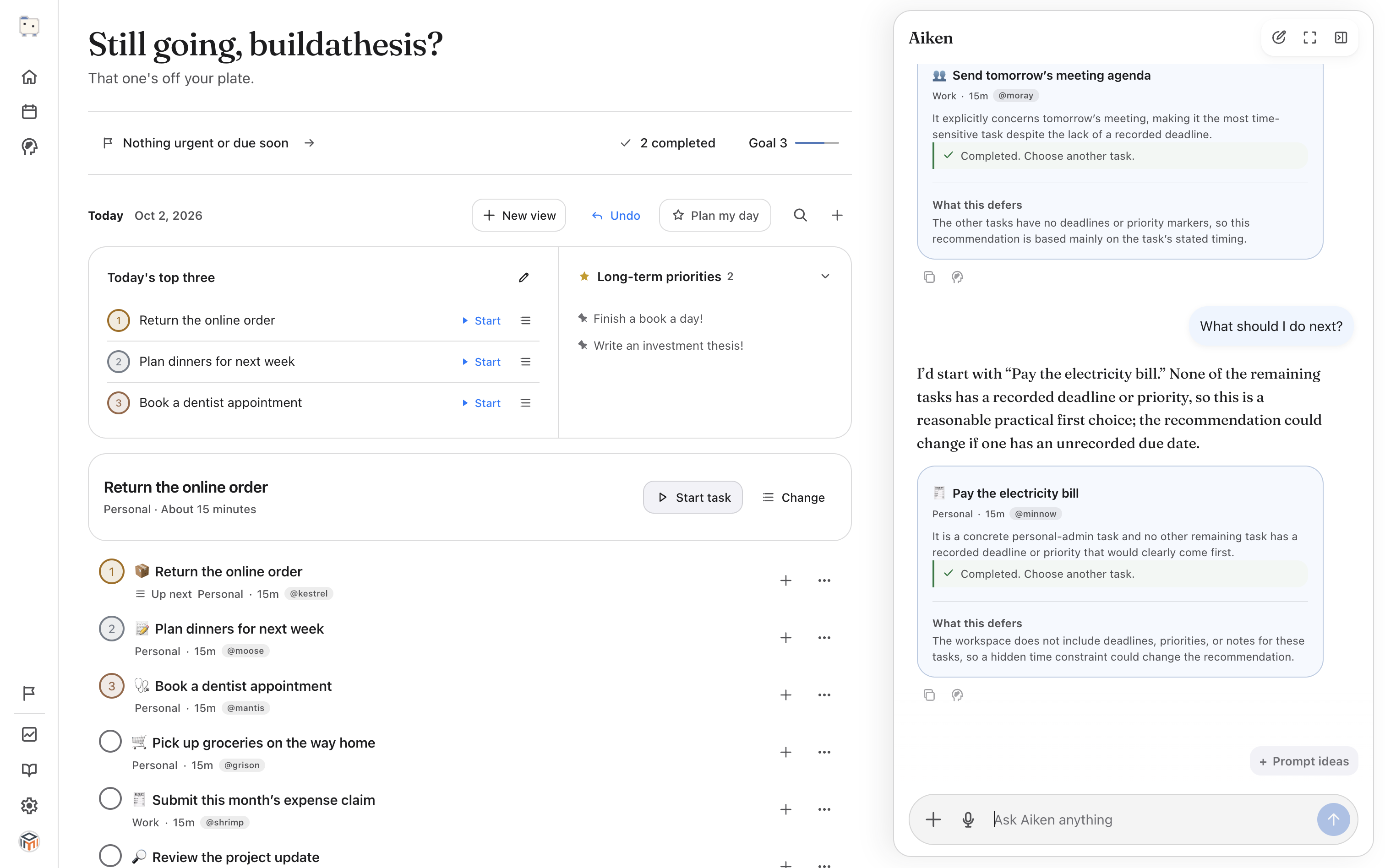
In Today's top three, choose Choose priorities. Select the task you want to begin, then Save priorities. One priority is enough; you do not need to choose three.
If prepare the presentation still feels too broad, define an action such as open the outline and write the three points the audience needs. You can add that as a task or subtask. A small action is a place to begin, not a promise that the whole job will be quick.
Keep one thing in view
Click Start on the task you have chosen. Aiken shows the current task and elapsed timer so you have a place to return after an interruption.
Click Stop when you take a break or switch away, and Done only when the task is finished. The timer records elapsed running time; it cannot tell whether you were concentrating. The other tasks remain available.
Ask Aiken when you want another perspective
For optional AI help, describe the task situation: I have 30 minutes, the presentation is tomorrow, and the invitation closes today. Help me choose where to begin. Avoid sharing confidential or unnecessary personal information.
Check the suggestion against what you know. Correct a missing deadline or dependency, choose a different task, or continue manually. Aiken helps with task decisions; it does not know everything about your day or complete the work for you.
Come back to what still matters
After a first pass, decide whether to continue, choose another task, or leave it for a later session. You can edit your priorities when the day changes.
Progress can be one useful action toward a commitment you care about. Aiken's role is to help you find and keep track of that action, with the decision still yours.